Non-Familial Person of Interest Located – A Happy Blogging Story

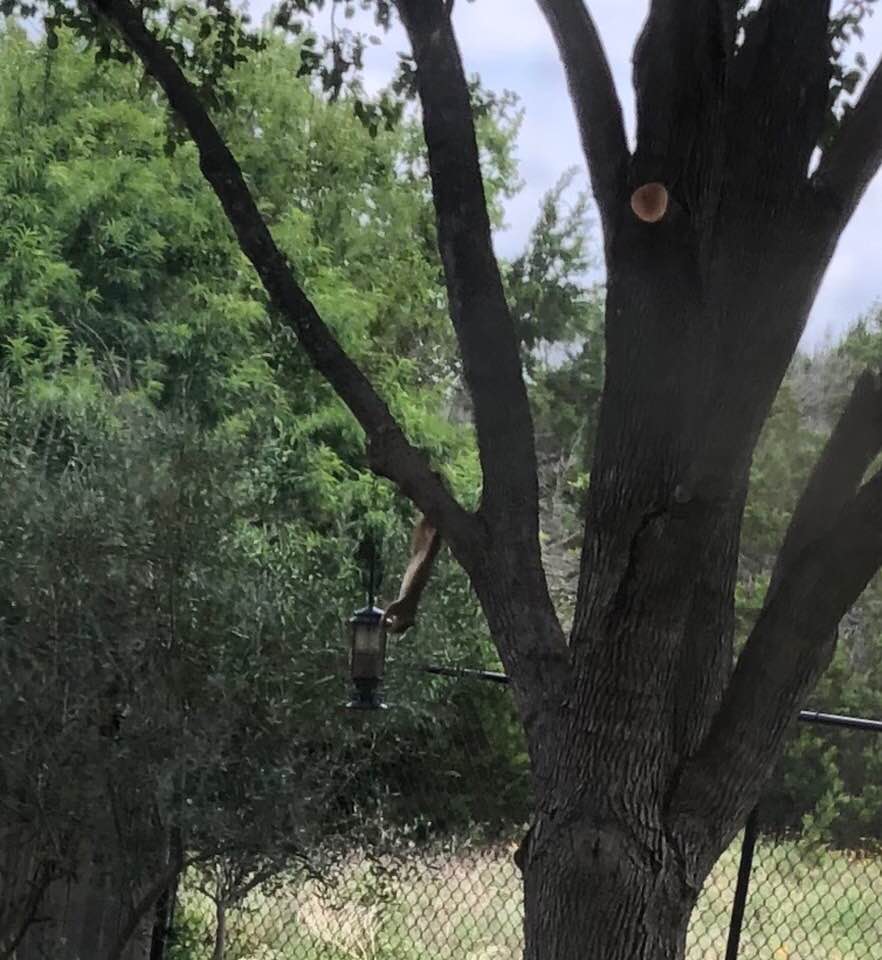
Squirrel in a Hole

Squirrel in a Hole

I have been absent from my blog for a few weeks. I’ve been feeling like a squirrel in a hole (you really must click on the picture to understand the feeling I wish to express) and the creative juices seemed to just stop flowing. The result – no writing.

I’ve been reading other blogs, though.

A couple of weeks ago I hopped from one blog … to another blog mentioned in the comments … and on to another blog related to the story.

Do you ever hop down those internet trails?

Sometimes I think I shouldn’t do that – it’s a time waster!

It turns out this wasn’t wasting time after all. This was research! I just didn’t know it at the time.

I’m not going to tell the whole story here because the person at the end of that trail has done that for us and I’m sending you over to her blog to read about it.

Please visit the blog Past-Present-Future, where Smadar Belkind-Gerson has written about the serendipity of our blog hopping and how it led us to a greater understanding of our own family histories.

It involves floods and bananas.

We often hope for cousins to find us when we blog about our families. And we sometimes put something on our blog as “cousin bait.” But sometimes people who are not related can add another layer of information and texture to our own family histories.

What shall we call these people?

neighbors?
peers?
contemporaries?
non-familial persons of interest?
people-who-might-have-known-someone-in-my-family?
people-in-the-general-area-of-my-ancestor-at-about-the-same-time?

I think they may be worth looking for. Choose the moniker of your liking and send out a little bait.

And please – Go read this story!

Do you have an Alias? I do now!

A few months ago I found a series of video tutorials by Ben Sayer at Genealogy Tools explaining his system for computer genealogy files. He put this series together in 2008, but they were new to me. I set up a few folders in this format and went on to something else. This week I’ve been back at it again. So far I really like this system and as I get the folders set up, I now have a designated place to put all my genealogy research and documents.

Woo hoo!

… because my filing system is a mess and there have been many times when I knew I had some thing some where, but I didn’t know where. What in the world did I name that file?

DSCN2643Unfortunately, this does not address my unorganized mess of physical files, folders, boxes, tabletops, closets, and desks. :(

The basic idea is to create a master folder for your family history. I created one for my family, one for my husband’s family, and one for my step-father’s family.

Within the family history master folder, create two folders: Surnames and Places. Within the Surnames folder, make a folder for each surname. Then within each surname, create folders for individuals.

screensave surname folders copy

I like his format for naming folders for individuals because it addresses individuals who share the same name – just add dates…

screensave surname duplicate names

and it addresses married/maiden names.

screensave surname folders married names

It makes sense to me.

These videos do not suggest creating folders within the individual person folders, but I am doing that for some people. I have a lot of artifacts/memorabilia from my grandmothers, so I have made an Artifacts folder for each of them within their individual folders. In fact, I have so many that within the Artifact folders, I have made folders for Recipes and Newspaper clippings and I may decide to add more. I have a lot of one grandmother’s jewelry, for example, so I’ll make a Jewelry folder and add all the pictures I have taken.

screensave Eveline copy

The other thing I learned from these videos is how to make alias files. What a concept! A document – say a census record – may be in the individual file for the head of a household. I can create alias files for the other members of the family that show in their individual folders, but they aren’t really duplicated so don’t take up any additional space on my hard drive. Who knew? Not me!

And alias folders are great for married women. She can have a folder included under her husband’s surname as well as her own.

screensave richardson copy

I haven’t done much with the Places folders yet other than set up some of them. I still need to decide how I want to use them. Maps, obviously; pictures of homes; descriptions of towns; …. I also like his suggestion of using alias files for places where the name has changed over time.

Yesterday I worked on one of my uncles. If I had the date for whatever I was adding to his individual folder, I included the year immediately following his name when I named the file. This provided a partially chronological view within his individual folder.

screensave Al copy 2

You may notice that I took a shortcut within his individual folder and did not use his full name or the years of his life. Since they were already in his folder, I thought it would be ok.

These tutorials are for Mac users, but the filing system itself makes sense for anyone. The explanations are for beginners, so you may already know everything. I did not.

Here is the link to the first video. Links to subsequent videos are at the bottom of the linked post. The comments section of the posts have additional information about his system not addressed in the videos. (Where I have just now read that he puts census records into the Places folders and creates alias files for individual folders; he addresses what he does with photographs; and more.)

Do you have an organizational system that works for you? Please share in the comments.

Sepia Saturday – Smile!

Sepia Sat 05-25 2013Sepia Saturday provides bloggers with an opportunity to share their history through the medium of photographs. Historical photographs of any age or kind become the launchpad for explorations of family history, local history and social history in fact or fiction, poetry or prose, words or further images.

The prompt picture this week pays tribute to the human face. And, indeed, this face invites you to spend time studying her features; looking into her eyes; wondering about her thoughts. There is nothing to distract us from her face – not even the style of her hair.

When I was trying to come up with ideas for this week’s Sepia Saturday theme, I thought about a few photographs I have with missing faces – faces that should be there, but have been forcibly removed. Faces we will not spend time contemplating.

Also this past week, Carole King became the first woman ever to win the Gerswhin Prize for Popular Song, an award given annually by the Library of Congress. Her 1971 album, Tapestry, was the background music to my late teen/early adult years. I played it over and over again, always from beginning to end.

I find that some days I still need a dose of Tapestry because there is a song there that speaks to the need of the day. Some days I need “Far Away.” Some days I need to hear that “You’ve Got a Friend.” Some days I need to find shelter “Way Over Yonder.”

And some days I really need to hear “Beautiful” – either because I don’t feel particularly beautiful or because I don’t feel like facing the day ahead. Carole encourages me with each refrain that the day will be better if I face it with a smile:

You’ve got to get up every morning with a smile on your face
And show the world all the love in your heart
Then people gonna treat you better
You’re gonna find, yes, you will
That you’re beautiful as you feel.

As I listened to the Tapestry album this week, it crossed my mind that the women who cut themselves out of my photographs could have used a dose of advice from Carole. And what about those stern looking matriarchs of the family? Surely they weren’t as mean as they look in the photographs I have of them.

If only they had had Carole King’s encouragement singing within ….. Smile. Show the love in your heart. Or maybe treat yourself a little better and don’t cut yourself out of the picture. You probably don’t look as bad as you think you do.

My husband’s grandmother, Lena Morales, cut herself out of photographs on several occasions. Sometimes with just a raggedy tear.

Lena missing

My grandmother Abbie replaced her face (and my cousin’s) with a big heart.

Page17.1

I wanted to remove myself from the photo below. I arrived at school, hair unwashed and pulled back in a headband as a last resort, only to learn that it was picture day.

You can make me get my picture taken, but you can’t make me smile.

Kathy's 5th grade class

If only “Beautiful” had been written in time to help me and my “greats” realize that a smile can be the secret to beauty – or at least to a better photograph.

Susan Nancy Hendrickson Strange2

Susan Nancy Hendrickson Strange

Cecilia Jenkins copy

Celia Jenkins Harris


“I believe happy girls are the prettiest girls.” – Audrey Hepburn

You will find many faces to contemplate at Sepia Saturday today. Go take a look.

P. S. if you read my Sepia Saturday post last week, you might recognize some of the faces from the class portrait – now two years older. Another post I could have prepared for today’s prompt!